 3AM Marketer
GitHub Copilot Computer Use: CLI, App, and Pricing
GitHub Copilot computer use has launched in public preview across macOS and Windows. Learn how to manage CLI commands, OS permissions, and credit allowances.
Computer use in GitHub Copilot is now available in public preview across two client interfaces on macOS and Windows: the GitHub Copilot desktop app and GitHub Copilot CLI. The feature automates workflows specifically across legacy and GUI-only software that do not provide an API, command-line interface, or Model Context Protocol (MCP) integration.12
Enabling and Managing Computer Use in the App and CLI
Computer use is disabled by default, requiring explicit activation before an agent can invoke its tools. In the GitHub Copilot desktop app, users turn it on by opening Settings, selecting Computer Use, and toggling Enable Computer Use, or by submitting /computer on. The GitHub Copilot app is available to users across all Copilot plans. In Copilot CLI, users run /computer on to activate it, /computer show to inspect current status, and /computer off to turn it off.213
OS Permissions, Actions, and Emergency Halts
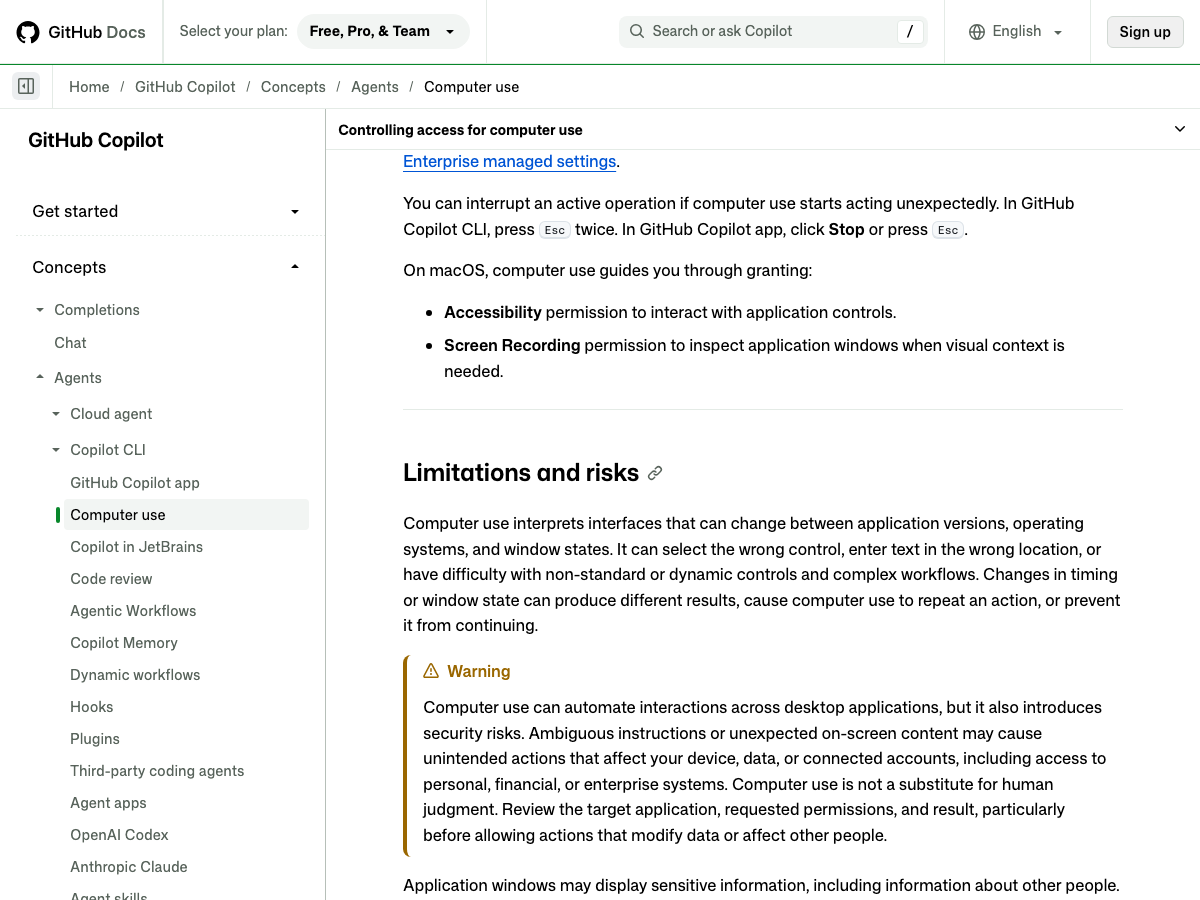
Operating on macOS requires granting Accessibility permission to interact with controls, alongside Screen Recording permission to inspect application windows when visual context is required. Copilot interacts with desktop software by reading accessible application content and visual context, clicking controls, entering and editing text, pressing keys, scrolling, and dragging items, while navigating workflows across applications. To halt active operations immediately, press Esc twice in the Copilot CLI, or click Stop or press Esc in the Copilot app.2
Session Approvals and Enterprise Governance
When Copilot prompts for application access, users can approve access for the current session, save the approval as Always allow for future sessions, or deny access. Selecting Always allow stores the decision locally on that machine, applying across both the Copilot app and Copilot CLI. Permission rules configured to deny a tool take precedence over automatic or saved approvals. Removing an application from the Always Allowed list in Settings removes future saved approvals across both clients without revoking access in an active running session. Enterprise administrators can disable computer use through managed settings, which cannot be overridden by local enablement.23
Copilot Plan Pricing and Usage Allowances
Personal accounts can choose between four subscription tiers: Copilot Free at no cost with 2,000 completions per month, Copilot Pro at $10 USD per month with $15 in monthly total credits, Copilot Pro+ at $39 USD per month with $70 in monthly credits, and Copilot Max at $100 USD per month with $200 in monthly credits.45
Operational Reliability: GUI Modes vs Direct Tools
Computer use relies on interpreting visual interfaces, which can vary across application versions or changing window states. Timing variations or window adjustments can cause computer use to misclick controls, enter text in incorrect fields, repeat actions, or stall entirely. When an API, MCP server, terminal command, filesystem tool, or dedicated browser tool can perform a task directly, that direct tool provides more structured information and predictable outcomes than GUI automation.62
Questions
Does Copilot have computer use?
Yes, computer use is available in public preview in the GitHub Copilot desktop app and Copilot CLI on macOS and Windows. The feature is disabled by default and requires explicit activation before agents can use it.
Does GitHub Copilot have a desktop application?
Yes, the GitHub Copilot desktop app is available to users across all Copilot plans on macOS and Windows. It supports desktop interactions, agent settings, and computer use toggles.