Ollama Alternatives: 7 Local LLM Runtimes Compared
A technical comparison of Ollama alternatives across desktop GUIs, bare-metal llama.cpp, and vLLM, detailing licensing terms, hardware requirements, and API parity.
Ollama defaults its num_ctx context limit to 2048 tokens and silently truncates any longer input without an error. Finding an alternative depends on your architecture, but Ollama, LM Studio, Jan, and GPT4All all wrap the same llama.cpp execution engine under the hood to run GGUF weights.12
Categorizing Ollama Alternatives by Architecture
Tools running local large language models split into four functional tiers based on operational requirements, comprising desktop graphical applications, local API servers, production serving engines, and OpenAI API drop-in replacements.1
Desktop interfaces like LM Studio, Jan, and GPT4All provide graphical frontends, while Ollama and raw llama.cpp function as local API servers. In production environments, vLLM acts as a high-throughput inference and serving engine. Ollama, LM Studio, Jan, and GPT4All all wrap the same llama.cpp inference engine to load GGUF weights, resulting in equivalent token throughput on identical hardware.12
| Runtime | Category | License | Underlying Core | Primary Supported Hardware |
|---|---|---|---|---|
| LM Studio | Desktop GUI | Proprietary (CLI/SDKs MIT) | llama.cpp | Apple Silicon, Windows, Linux |
| Jan | Desktop GUI | Apache-2.0 | llama.cpp | Cross-platform desktop |
| GPT4All | Desktop GUI | MIT | llama.cpp | Intel Core i3, AMD Bulldozer, Apple Silicon |
| vLLM | Production Serving | Apache-2.0 | Native / PagedAttention | Nvidia, AMD, Intel GPUs, CPUs, TPUs, Apple Silicon |
Why Switch from Ollama: The 2048 Token Context Limit
Two technical friction points drive practitioners away from Ollama for developer and integration workflows. First, Ollama defaults its num_ctx parameter to 2048 tokens across all models, regardless of what the underlying weights natively support, and silently truncates any context exceeding that length without throwing an error message. Long document summarization or large retrieval-augmented generation pipelines fail silently unless the user explicitly overrides the context window.2
Second, Ollama stores model weights in an internal manifests and blobs directory using content-addressed hashes instead of exposing standard GGUF files. Users who already maintain a shared collection of downloaded GGUF files end up duplicating disk space because Ollama cannot easily mount raw files without re-registering them via a custom Modelfile.2
Desktop Interfaces: LM Studio, Jan, and GPT4All
LM Studio operates under proprietary Terms of Service granting a non-exclusive license for personal or internal business use. The core desktop app is proprietary, while its developer SDKs and the lms CLI are released under an MIT license. LM Studio runs on macOS for Apple Silicon, Windows for x64 and ARM64, and Linux for x64.24
Jan provides an open-source ChatGPT alternative licensed under Apache-2.0. Built directly on llama.cpp, Jan bundles an interactive desktop chat client with a local OpenAI-compatible HTTP server.2
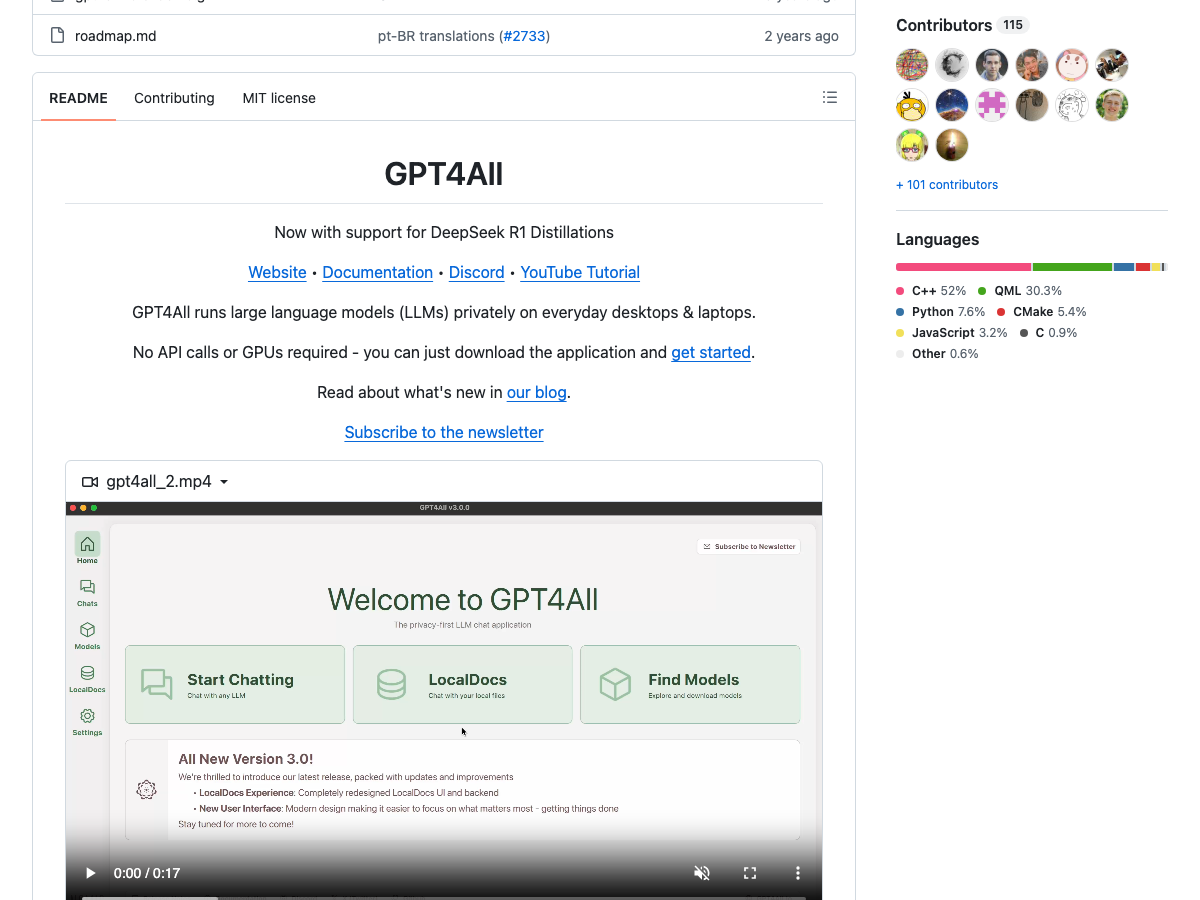
GPT4All is an open-source project released under an MIT license that includes LocalDocs, a feature enabling private, local document retrieval and chat without external cloud calls. GPT4All Windows and Linux builds require an Intel Core i3 2nd Gen or AMD Bulldozer processor or better, with the Linux build restricted strictly to x86-64 without ARM compatibility. GPT4All on macOS requires macOS Monterey 12.6 or newer and recommends Apple Silicon M-series chips for optimal performance.3
llama.cpp: Bare-Metal Portability and Integer Quantization
The engine supports integer quantization ranging from 1.5-bit to 8-bit. To run models larger than physical VRAM capacity, llama.cpp implements CPU and GPU hybrid inference to partially accelerate layers in system memory. Supported hardware acceleration backends include CUDA for Nvidia GPUs, HIP for AMD GPUs, and Metal for Apple Silicon, alongside Snapdragon Hexagon, IBM zDNN, and Moore Threads MUSA.5
vLLM: Production Serving with PagedAttention and Over 200 Architectures
vLLM is an open-source inference and serving engine licensed under Apache-2.0. Rather than wrapping llama.cpp, vLLM manages attention key and value memory efficiently via PagedAttention.6
vLLM supports more than 200 model architectures on Hugging Face. The engine runs on Nvidia GPUs, AMD GPUs, Intel GPUs, and x86, ARM, and PowerPC CPUs, with hardware plugins available for Google TPUs and Apple Silicon.6
Single Executables and Cross-Platform Tools: KoboldCpp and Atomic Chat
KoboldCpp packages its entire runtime as a single standalone executable. Built on top of llama.cpp, it bundles an integrated web interface alongside local API support, allowing users to download one file, mount a GGUF model, and begin chatting without installing background daemons.7
Atomic Chat provides an open-source, Apache-2.0 runtime supporting macOS, Windows, Linux, iOS, and Android with zero usage fees or message caps, making it suitable for teams requiring mobile device inference alongside desktop systems.2
API Compatibility: OpenAI Endpoints, Anthropic Routes, and Prometheus
vLLM hosts an HTTP server that implements the OpenAI Chat Completions API at /v1/chat/completions for text generation models configured with a chat template. vLLM also provides an Anthropic messages API supporting /v1/messages and /v1/messages/count_tokens.8
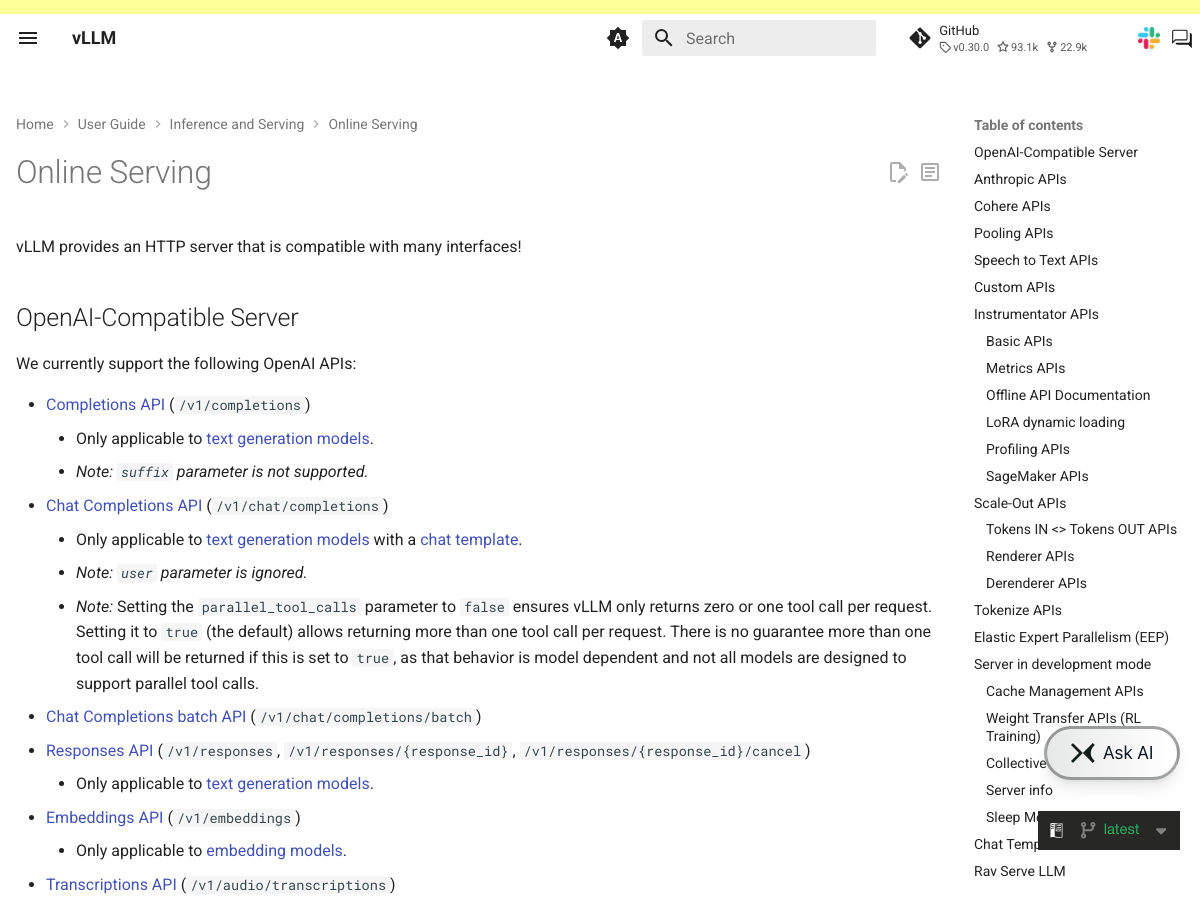
For server monitoring, vLLM includes a Prometheus-compatible metrics endpoint at /metrics. The server also supports dynamic loading and unloading of LoRA adapters using endpoints at /v1/load_lora_adapter and /v1/unload_lora_adapter.8
Choose your runtime based on architecture constraints rather than user interfaces. If you need local private chat with direct document retrieval on desktop hardware, use GPT4All or Jan. If you manage local workstations and need custom context windows without silent truncation, run raw llama.cpp or KoboldCpp with explicitly defined context parameters. For multi-user API routing, Prometheus observability, and high-concurrency production deployments, deploy vLLM.
Questions
What's better than Ollama?
The answer depends on your requirements. For high-throughput server deployments, vLLM provides PagedAttention memory management, support for over 200 Hugging Face architectures, and Prometheus monitoring. For desktop users who want a graphical interface without Ollama's default 2048 token context limit, open-source options include Jan and GPT4All.
Is Ollama deprecated?
No, Ollama is actively maintained. Users seek alternatives primarily due to specific constraints, such as Ollama's default num_ctx parameter of 2048 tokens that silently clips overflow text, or its registry structure that stores weights as hash-named blobs rather than direct GGUF files.
Is vLLM better than Ollama?
For multi-user serving and production infrastructure, vLLM offers dedicated server features including PagedAttention key-value memory management, Prometheus metrics at /metrics, and Anthropic API routing. Ollama is focused on local workstation execution and relies on the llama.cpp backend.
Which is better, GPT4All or Ollama?
GPT4All provides an MIT-licensed desktop GUI application with LocalDocs for private local document chat, requiring an Intel Core i3 2nd Gen or AMD Bulldozer processor or newer. Ollama operates as a CLI tool and local server that defaults context to 2048 tokens.